
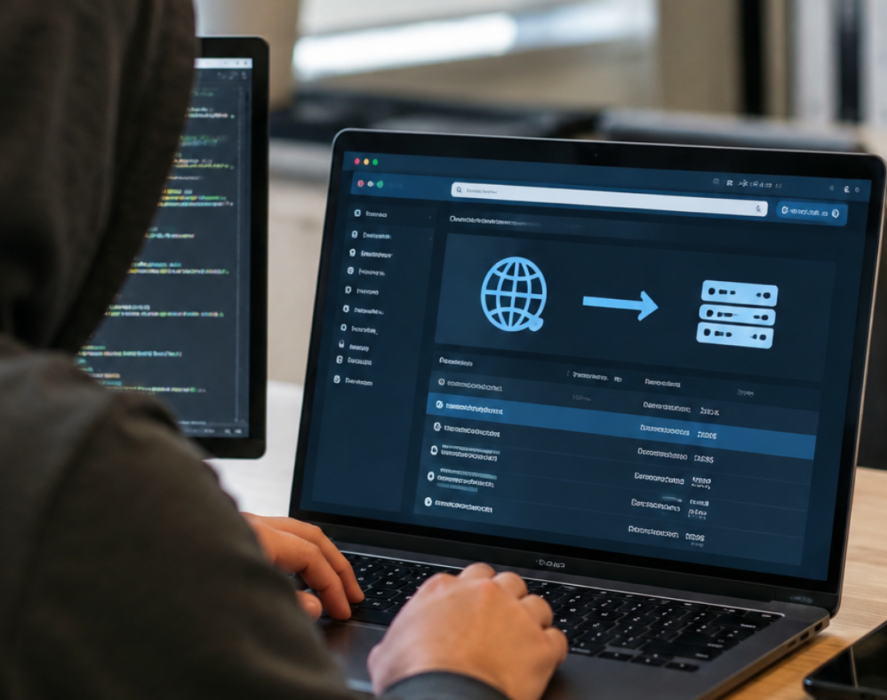
Your business domain is more than a web address. It connects customers to your website, supports your professional email, and plays an important role in your online reputation. If someone gains control of it without your permission, the consequences can reach far beyond your website.
Domain hijacking happens when an unauthorized person gains control of a domain name or its settings. This can lead to website downtime, email disruptions, security risks, and even the loss of your domain.
The good news is that a few practical security measures can make your domain much harder to compromise. Understanding where your domain is managed and who can access it is a good place to start.
What Is Domain Hijacking?
Domain hijacking occurs when someone takes control of a domain name without the owner’s authorization. This can happen through stolen login credentials, compromised email accounts, social engineering, or weaknesses in how domain access is managed.
Once an attacker has access, they may be able to change important domain settings, transfer the domain to another registrar, or redirect visitors to a different website.
For a business, even a short period of unauthorized control can create serious problems. Customers may be unable to reach your website, employees could experience email disruptions, and visitors may be sent to fraudulent pages designed to steal personal or payment information.
Domain hijacking is different from someone registering a similar domain name. In a hijacking incident, the attacker gains control of your actual domain or its management settings. Both situations can threaten your brand, but they require different prevention and response strategies.
Why Your Business Domain Needs Protection
Many business owners focus on securing their website, email, and social media accounts but overlook the domain account that connects these services.
Your domain registrar account is especially important because it is where you manage your domain registration and many of the settings that direct traffic to your website and email services.
If someone gains unauthorized access to that account, they may be able to make changes that affect your entire online presence.
Some potential consequences include:
- Website disruptions: Unauthorized changes can redirect visitors or make your website unavailable.
- Email problems: Changes to your domain’s mail settings can interrupt business communications or expose customers to fraudulent messages.
- Customer trust issues: Visitors who encounter suspicious websites or unexpected redirects may question whether your business is legitimate.
- Financial and recovery costs: Restoring access, investigating suspicious activity, and repairing disruptions can take time and money.
- Brand damage: Attackers may use your domain to impersonate your business or mislead customers.
Protecting your domain helps safeguard the digital services your business relies on every day.
6 Ways to Protect Your Business Domain
1. Secure Your Domain Registrar Account
Your domain registrar is the company where your domain is registered and managed. That account should receive the same level of protection as your business banking, email, and other important accounts.
Start with a strong, unique password that you don’t reuse for other services. If your registrar offers multifactor authentication (MFA), enable it. MFA adds another layer of protection by requiring an additional verification step when someone signs in.
It’s also important to secure the email address connected to your registrar account. If someone can access that inbox, they may be able to reset your password or approve account changes.
2. Enable Domain Locking
Many registrars offer a domain lock, sometimes called a registrar lock or transfer lock. When enabled, it helps prevent unauthorized transfers of your domain to another registrar.
Domain locking is a useful safeguard, but it isn’t a substitute for securing your account. Someone who gains access to your registrar account may still be able to change other settings, depending on the registrar and the domain’s configuration.
Check your domain’s current status and confirm that the appropriate protections are enabled.
3. Limit Who Can Access Your Domain
Not everyone who works on your website needs full control of your domain.
Review who has access to your registrar account and remove access that is no longer necessary. When possible, use separate user accounts and permission levels rather than sharing one login among employees, contractors, and outside providers.
This makes it easier to see who can make changes and reduces the risk of an old or compromised account creating problems.
If an employee or agency stops working with your business, include domain access in your offboarding process.
4. Keep Your Contact Information Up to Date
Your registrar may use your account’s contact information to send renewal notices, security alerts, and important messages about your domain.
If those messages go to an outdated email address or an inbox no one monitors, you could miss an important warning or account notification.
Review the contact details associated with your domain regularly. Make sure the account is tied to a secure, actively monitored business email address and that someone knows who is responsible for responding to registrar notifications.
5. Monitor Your Domain for Unexpected Changes
You don’t need to check your domain settings every day, but you should know what normal activity looks like.
Pay attention to unexpected notifications about password resets, account sign-ins, domain transfers, nameserver updates, or changes to your domain’s contact information.
You can also periodically review your domain’s registration status and DNS settings. If something changes without your knowledge, contact your registrar promptly and investigate before the issue spreads to other services.
6. Know Who Owns and Manages Your Domain
A domain may have been registered by a former employee, a web designer, or an outside agency. That arrangement can create problems if your business doesn’t have direct access or isn’t listed as the account owner.
Make sure your business retains control of its domain registration and that trusted staff know how to access the account when necessary.
If an outside provider manages your domain, clarify who owns it, who can approve changes, and how access would be transferred if your working relationship ends.
What to Do If You Suspect Domain Hijacking
If you notice unexpected changes or believe someone has gained access to your domain, act quickly.
First, contact your domain registrar through its official website or support channels. Explain what you’ve noticed and ask about securing the account, reversing unauthorized changes, or stopping a transfer if one is in progress.
Change the password on your registrar account and the associated email account, and enable MFA if it isn’t already active. Review recent account activity and check whether your domain’s DNS settings, contact details, or transfer status have changed.
If your website or email has been affected, contact the appropriate hosting or email provider as well. Keep records of suspicious notifications and any changes you discover. These details can help with recovery and investigation.
Avoid clicking unexpected links in emails claiming to be from your registrar. Navigate directly to the official website instead.
Make Domain Security Part of Your Business Routine
Your domain is a small part of your digital presence, but it supports services your customers and employees depend on. Protecting it shouldn’t be something you think about only after a problem occurs.
Regular access reviews, strong account security, domain locking, and attention to unexpected changes can help reduce the risk of unauthorized access.
At Branchleaf Digital, we understand how important a reliable digital foundation is for small businesses. Whether you’re registering a new domain or reviewing how your existing one is managed, taking time to secure your domain is a worthwhile investment in your business’s online presence.
Leave a Reply
You must be logged in to post a comment.